Instant label scan
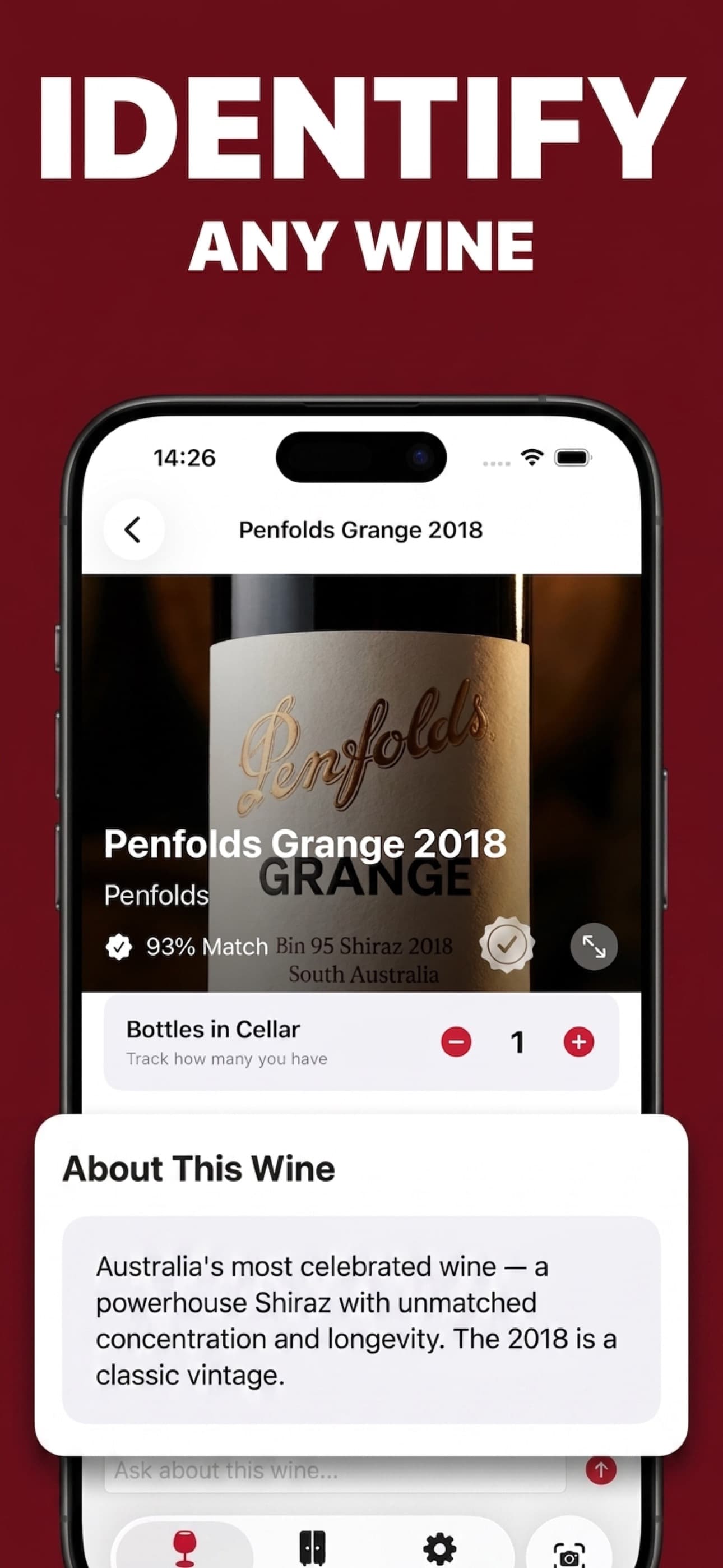
Identify the wine, producer, vintage, grapes, region, and appellation.
Wine label scanner and personal cellar
Identify a wine, read tasting notes, find food pairings, review serving and aging guidance, ask follow-ups, and track your cellar.
Built for the task
Instant label scan
The short answer
A direct definition for readers, search engines, and answer systems.
WineMe is an AI wine label scanner and cellar-management app for iPhone and iPad. A label photo can return the likely wine, producer, grape, region, vintage, tasting profile, food pairings, serving guidance, aging potential, and collection details.
Wine information is for reference. Confirm allergens and ingredients with the producer or retailer, and drink responsibly.
Inside the app
Every feature supports the same workflow, so the app feels like a system rather than a folder of disconnected AI buttons.
Identify the wine, producer, vintage, grapes, region, and appellation.
Review style, body, acidity, tannin, aromas, and expected flavor notes.
Find dishes and ingredients that suit the wine’s structure and style.
Track bottles, estimated value, drinking windows, regions, and vintages.
Ask about serving, storage, pairings, alternatives, and the scanned bottle.
Identify labels from established and emerging regions around the world.
Product tour
Real screens from the current iPhone experience.


How it works
Capture the producer, wine name, vintage, and appellation in clear light.
Check the identification, tasting notes, serving guidance, and pairings.
Track bottle count, drinking window, value, notes, and collection history.
Who it helps
Practical guide
Read the producer, region, grape, vintage, and classification clues on a wine label.
Direct answers
Photograph the front label in clear light. WineMe reads visible producer, wine, vintage, grape, region, and appellation details, then builds a likely bottle profile.
A result can include the wine and producer, grape, vintage, region, tasting notes, aroma profile, food pairings, serving temperature, aging potential, and price range.
Yes. Save bottles, counts, estimated value, drinking windows, regions, vintages, and personal notes in the collection.
Yes. WineMe provides general reference information. Confirm allergens, ingredients, and health information with the producer or retailer.
Available on the App Store
Free download. Built by Ideas All Day Ltd for iphone and ipad.
Download on the App Store